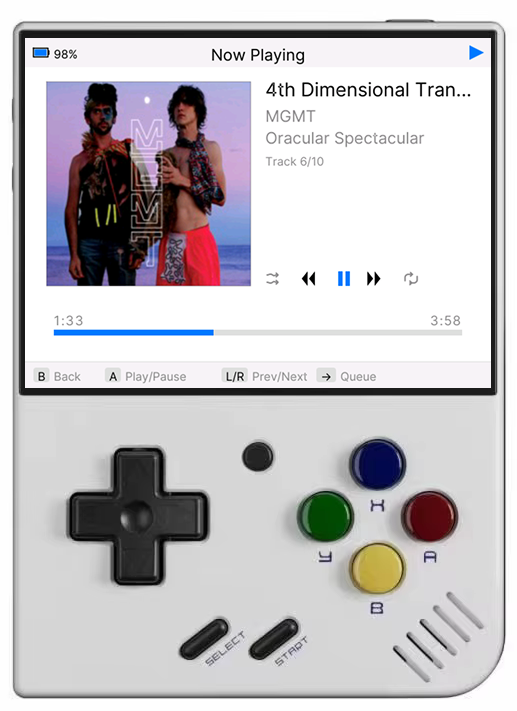
MiyooPod Player

MiyooPod.

MP3 player for the Miyoo Mini Plus, v4, and Flip.

What is MiyooPod?

MiyooPod is an MP3 player for the Miyoo Mini Plus, Mini v4, and Mini Flip running OnionOS. Inspired by the classic iPod interface.

Key Features:
  • iPod-inspired user interface with multiple themes
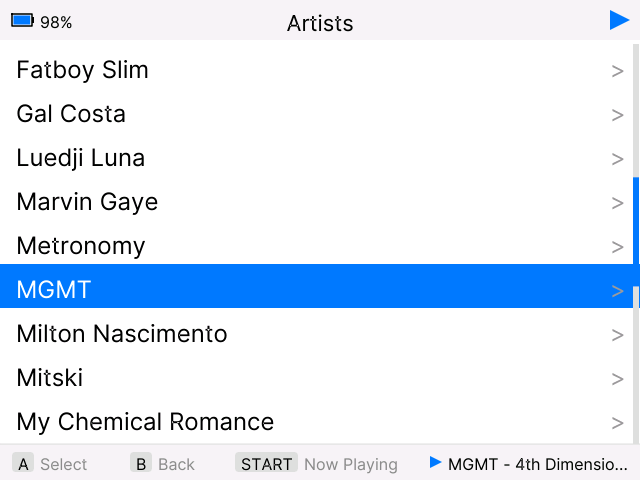
  • Browse by Artists, Albums, and Songs
  • Search/filter lists with on-screen A-Z keyboard
  • Album art display with automatic fetching from MusicBrainz
  • Shuffle and repeat modes
  • Seek/fast-forward/rewind with accelerating speed
  • Over-the-air updates
  • Session persistence (queue, position, shuffle/repeat restored on launch)
  • Native 640×480 resolution optimized for Miyoo Mini
  • 17 customizable themes (Classic iPod, Dark Blue, Nord, Cyberpunk, and more)
  • MP3, FLAC, and OGG/Vorbis playback
  • Lyrics display with LRC timed sync and auto-scroll

Screenshots

Main Menu

Main Menu

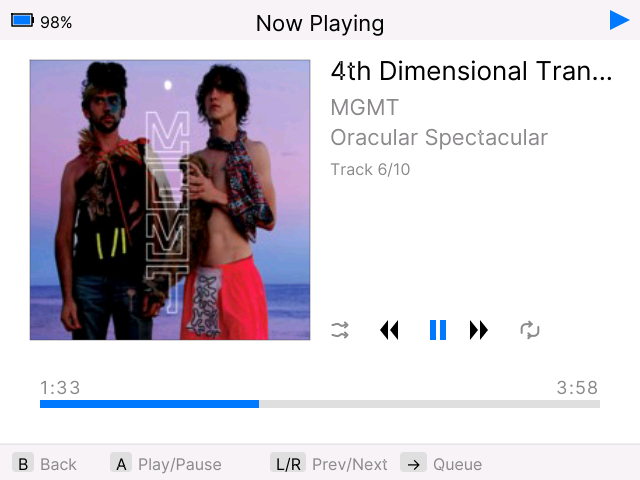
Now Playing

Now Playing

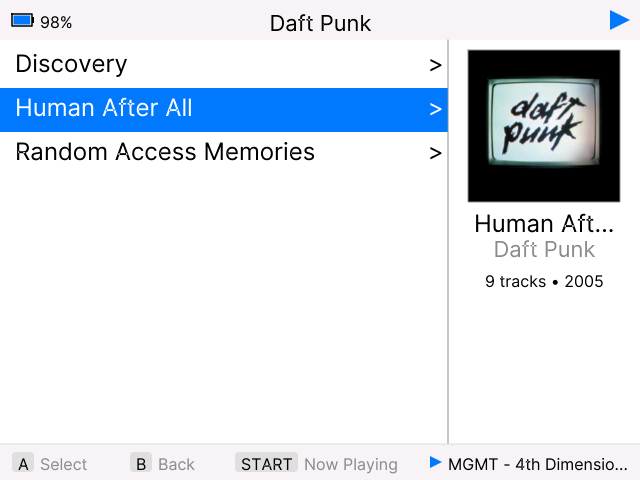
Albums List

Albums List

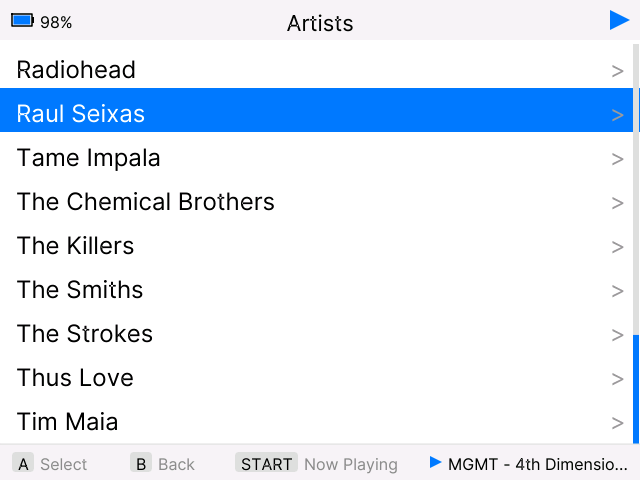
Artists

Artists

Getting Started

📦 Installation

Install MiyooPod on your Miyoo Mini Plus running OnionOS:

  1. Download MiyooPod.zip
  2. Extract the MiyooPod.zip file
  3. Connect your Miyoo Mini Plus SD card to your computer
  4. Copy the MiyooPod folder to /App on your SD card
  5. Safely eject the SD card and insert it back into your Miyoo Mini Plus
  6. MiyooPod will appear in your Apps menu

📁 Adding Songs

MiyooPod reads music files from your SD card's Music folder:

/mnt/SDCARD/Media/Music/
  1. Connect your Miyoo Mini SD card to your computer
  2. Navigate to /Media/Music/ folder
  3. Copy your MP3 files and folders into this directory
  4. Organize your music by artist/album folders for better library organization
  5. Launch MiyooPod - it will automatically scan and index your music library

🎵 Supported Formats

MiyooPod supports MP3, FLAC, and OGG/Vorbis audio files.

Recommended: MP3 @ 256kbps — for the best balance of quality and performance on the Miyoo Mini's hardware.

  • Format: MP3 (MPEG-1 Audio Layer 3)
  • Bitrate: 256kbps CBR (Constant Bitrate) or VBR V0
  • Sample Rate: 44.1kHz
  • Channels: Stereo

💡 FLAC and OGG are fully supported. MP3 is recommended for best performance — the Miyoo Mini's audio output doesn't benefit from lossless quality, and high-bitrate files may cause playback issues.

🎨 Album Artwork

MiyooPod supports album artwork in two ways:

1. Embedded Artwork

MiyooPod automatically extracts album art embedded in your MP3 files' ID3 tags. Most music files downloaded from iTunes, Amazon, or properly tagged using tools like MusicBrainz Picard will already have embedded artwork.

2. Automatic Download from MusicBrainz

For albums without embedded artwork, MiyooPod can automatically fetch album covers from MusicBrainz:

  1. Navigate to Settings from the main menu
  2. Select "Fetch Album Art"
  3. MiyooPod will scan your library and download missing album artwork
  4. Progress is shown on-screen with album details
  5. Downloaded artwork is cached locally for fast loading

Note: This requires an internet connection via WiFi. Artwork is stored in /mnt/SDCARD/Media/Music/.miyoopod_artwork/

⚙️ Settings

Themes

Choose from 11 visual themes. Each theme customizes colors for backgrounds, selections, headers, progress bars, and all UI elements.

Available themes: Classic iPod, Dark, Dark Blue, Light, Nord, Solarized Dark, Matrix Green, Retro Amber, Purple Haze, Cyberpunk, and Coffee.

Lock Key

Customize which button locks/unlocks the screen. Choose from Y, X, or SELECT buttons. The Miyoo Mini Plus does not support suspend mode natively by pressing the power button, so the lock key allows you to lock the screen and prevent accidental presses during playback.

Fetch Album Art

Automatically download missing album artwork from MusicBrainz. The app will scan your library and fetch high-quality cover art for albums without embedded images.

Toggle Logs

Enable or disable debug logging. Useful for troubleshooting issues or when reporting bugs. Logs are written to the Music folder for easy access.

Rescan Library

Force a complete rescan of your music library. Use this after adding new songs or when the library becomes out of sync.

About

View app version, author information, and access support resources. Includes version checking to notify you of available updates.

Settings Storage

Your preferences are automatically saved to:

/mnt/SDCARD/Media/Music/.miyoopod_settings.json

🛠️ Troubleshooting

App does not launch / crashes on startup

The library cache files may be corrupted. Connect your SD card to your computer and delete these hidden files:

/mnt/SDCARD/Media/Music/.miyoopod_library.json
/mnt/SDCARD/Media/Music/.miyoopod_state.json

MiyooPod will rescan your library on the next launch.

Album art not displaying correctly

Open Settings → Clear App Data to wipe the artwork cache and library metadata. MiyooPod will rebuild everything on the next launch. You can then use Fetch Album Art again to re-download missing covers.

Checking logs

If the app is misbehaving, enable logging from Settings → Toggle Logs, reproduce the issue, then check the log file on your SD card:

/mnt/SDCARD/App/MiyooPod/miyoopod.log

Attach this file when reporting a bug on GitHub Issues.

A broken update made the app unusable

If an OTA update left the app in a broken state, manually reinstall the latest version:

  1. Download MiyooPod.zip
  2. Extract and copy the MiyooPod folder to /App on your SD card, overwriting the existing files
  3. Your music library and settings are stored separately and will not be affected

🔧 Technical Details

Architecture Overview

MiyooPod is built using Go (Golang) 1.22.2 with native C bindings (CGO) for low-level graphics and audio operations. The application is cross-compiled for ARM architecture and optimized for embedded Linux systems.

Platform Target

  • Device: Miyoo Mini Plus, Mini v4, Mini Flip
  • OS: OnionOS (Linux-based)
  • CPU: ARM Cortex-A7 (dual-core)
  • Display: 640×480 native resolution

Build Configuration

  • Compiler: arm-linux-gnueabihf-gcc
  • Go Version: 1.22.2
  • CGO: Enabled
  • GOARCH: arm

Performance Optimizations

  • Dual-Core Utilization: Main UI thread pinned to one core while audio decoding runs on the second core via runtime.GOMAXPROCS(2)
  • Thread Stability: Main goroutine locked to OS thread with runtime.LockOSThread() for stable CGO/SDL calls
  • Fast Rendering: Pre-rendered digit sprites for time display bypass the 2D graphics context in the hot path
  • Caching: Text measurement cache and album art cache reduce redundant operations
  • Library Persistence: Music library metadata cached as JSON for fast startup

Build System

Cross-compilation is handled via a Makefile that uses the ARM GNU toolchain. The build process compiles Go source files with CGO enabled and packages all required shared libraries.

# Cross-compile for ARM with CGO CC=arm-linux-gnueabihf-gcc \ CGO_ENABLED=1 \ GOARCH=arm \ GOOS=linux \ go build -o App/MiyooPod/MiyooPod src/*.go

The build system automatically bundles required shared libraries into the App/MiyooPod/libs directory:

  • • SDL2 core and extensions (EGL, GLESv2, json-c, zlib)
  • • SDL2_mixer for audio playback
  • • libmpg123 for MP3 decoding

Data Storage

Library Cache

Music library metadata is serialized to JSON and stored at:

/mnt/SDCARD/Media/Music/.miyoopod_library.json

Settings

User preferences (theme, lock key, log settings) are stored at:

/mnt/SDCARD/Media/Music/.miyoopod_settings.json

Album Artwork

Downloaded album art is cached in:

/mnt/SDCARD/Media/Music/.miyoopod_artwork/

💜 Support the Project

MiyooPod is open-source and free to use. Here's how you can help make it even better:

🐛

Report Issues

Found a bug? Let us know on GitHub Issues so we can fix it.

Report Issue

Request Features

Have an idea for a new feature? Share it with the community!

Suggest Feature

Star on GitHub

Show your appreciation by starring the repository on GitHub.

Star Project

Contribute Code

MiyooPod is open-source! Developers are welcome to contribute improvements, bug fixes, and new features via pull requests.

Changelog

v0.0.6 Latest
  • 🎵 FLAC and OGG/Vorbis playback support (decoded via statically linked drflac and stb_vorbis in SDL2_mixer — no extra libraries required)
  • 📝 Lyrics support: embedded lyrics (ID3 USLT, Vorbis comments) displayed with word-wrap and smooth scrolling
  • 🎤 LRC timed lyrics: synchronized line highlighting with auto-scroll following playback position, and manual scroll override (press A to re-enable auto-follow)
  • Hold ↑/↓ to scroll lists continuously — no more repeated presses needed to navigate long lists
  • SELECT + START to quit the app from any screen
v0.0.5

New Features

  • 🔄 Over-the-air updates with download progress, checksum verification, and automatic rollback on failure
  • 🔍 Search: filter Artists, Albums, and Songs with an on-screen A-Z keyboard (press SELECT on any list)
  • Seek/fast-forward/rewind: hold L or R on the Now Playing screen with accelerating speed
  • 💾 Session persistence: queue, playback position, shuffle/repeat state, and current track restored across launches
  • 📜 Header marquee: now-playing track info scrolls in the header bar when browsing menus
  • 🛡️ Crash reporting: fatal panics and C-level signals are logged and reported automatically
  • 🗑️ Clear App Data option in Settings to reset library cache, settings, and artwork

Improvements

  • Faster startup: version check no longer blocks splash screen; album art uses fast RGBA pixel cache on disk
  • 🔄 Non-blocking library scan with dedicated progress screen showing track count, current folder, and phase
  • 🖼️ Non-blocking album art fetch with progress bar, percentage, and cancel/retry support
  • 🔊 Volume and brightness persisted across app launches
  • 🖼️ Background album art extraction from MP3 tags after startup
  • 🔔 Toggle update notifications on/off from Settings
  • 🔍 Manual "Check for Updates" option in Settings

Bug Fixes

  • 🐛 Fixed race conditions where background goroutines corrupted the framebuffer causing panics
  • 🐛 Fixed volume/brightness overlay screen flash caused by partial framebuffer updates
  • 🐛 Fixed volume resetting on every launch
v0.0.4
  • 🔊 Fixed volume control using MI_AO ioctl (correct indirect buffer layout matching Onion/keymon)
  • 🔊 Fixed volume icon being cut off in the overlay
  • 🔒 Added screen lock with power button
  • 🔒 Added auto screen lock setting (1/3/5/10 min or disabled)
  • 🔒 Added screen peek toggle (enable/disable screen wake on button press while locked)
  • 🐛 Fixed brightness and volume being adjustable while screen is locked
  • 🐛 Fixed now playing progress bar drawing over the lock overlay
v0.0.3
  • 🔧 Fixed PostHog logging initialization order
  • 📊 C logs from SDL initialization now properly captured
  • 📱 Device model detection and reporting (Mini Plus, Mini v4, Mini Flip)
  • 📏 Display resolution metrics sent to analytics
  • 🔀 Independent local logs and developer logs settings
v0.0.2
  • Added support for Miyoo Mini v4 (750×560 resolution)
  • Added support for Miyoo Mini Flip (750×560 resolution)
  • 🔧 Automatic resolution detection via framebuffer device
  • 🎨 UI scaling adapts to different screen sizes while maintaining aspect ratio
  • 🐛 Disabled local logs by default (developer logs still enabled)
v0.0.1
  • 🎉 Initial release
  • 🎵 iPod-inspired user interface
  • 🎨 11 customizable themes
  • 🖼️ Album art display and automatic fetching from MusicBrainz
  • 🔀 Shuffle and repeat modes
  • 📱 Optimized for Miyoo Mini Plus (640×480)